If you are the parent of an ESSEC student and wish to submit a request to the Registrar's Office, you can create an access account to track the progress and processing of your requests online.
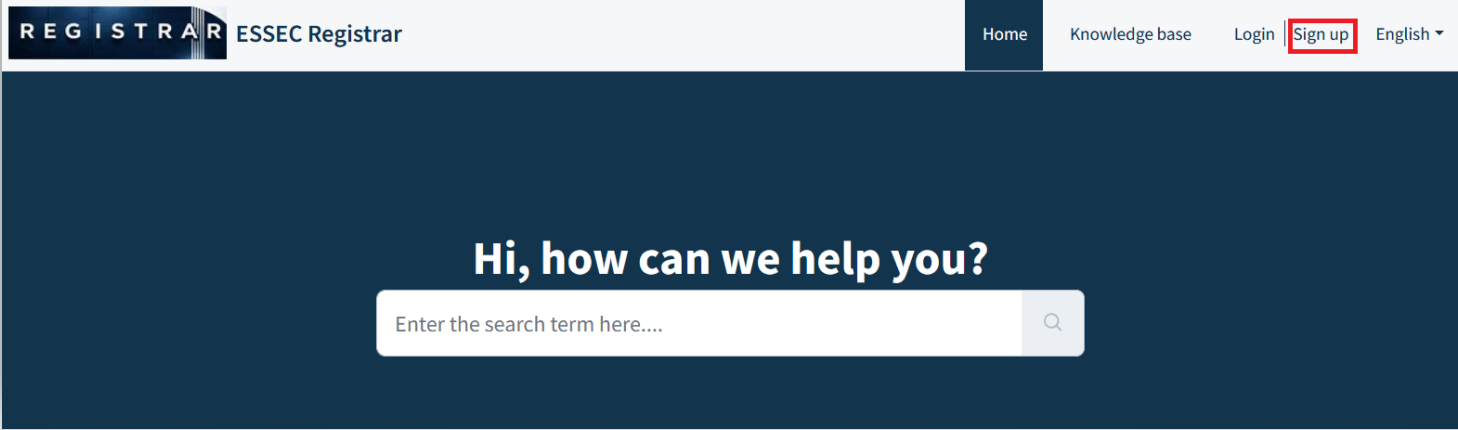
1. Click on Sign up
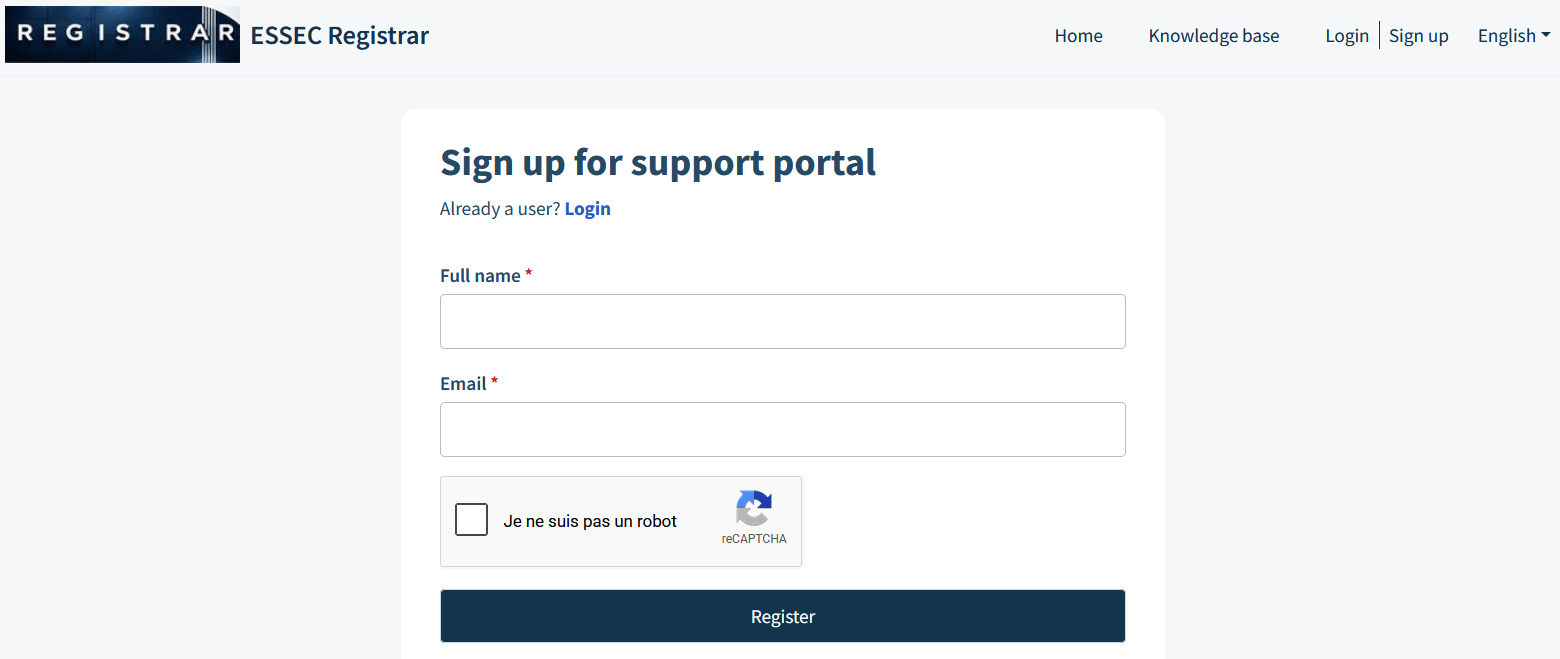
2. Create your access account by entering your first/last name (Full Name) and your email (Email). Validate the security option, then submit by clicking on the "Register" button.
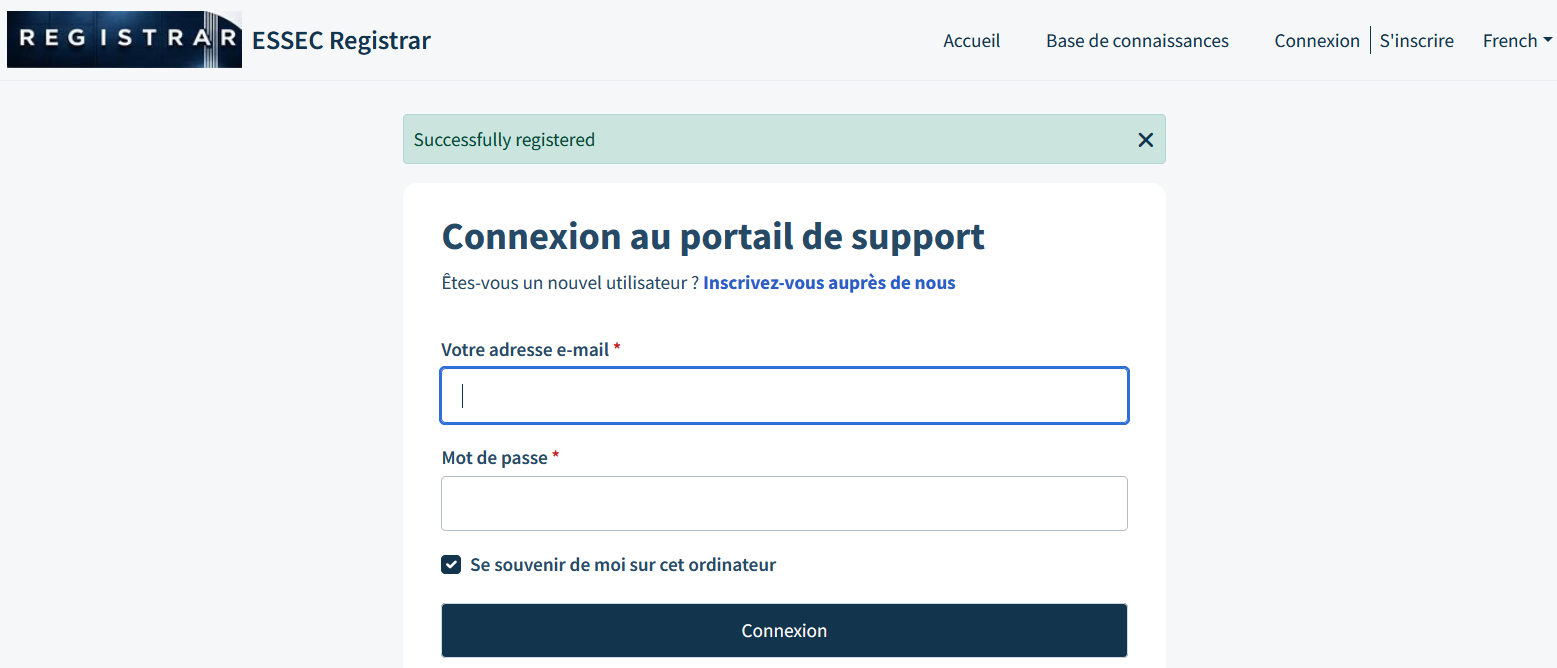
3. The following message in green confirms the creation of your account.
4. Check your email. After verification by our service, a message will be sent to you to confirm the creation of your access. By clicking on the link received in the message, you will be asked to enter a password.
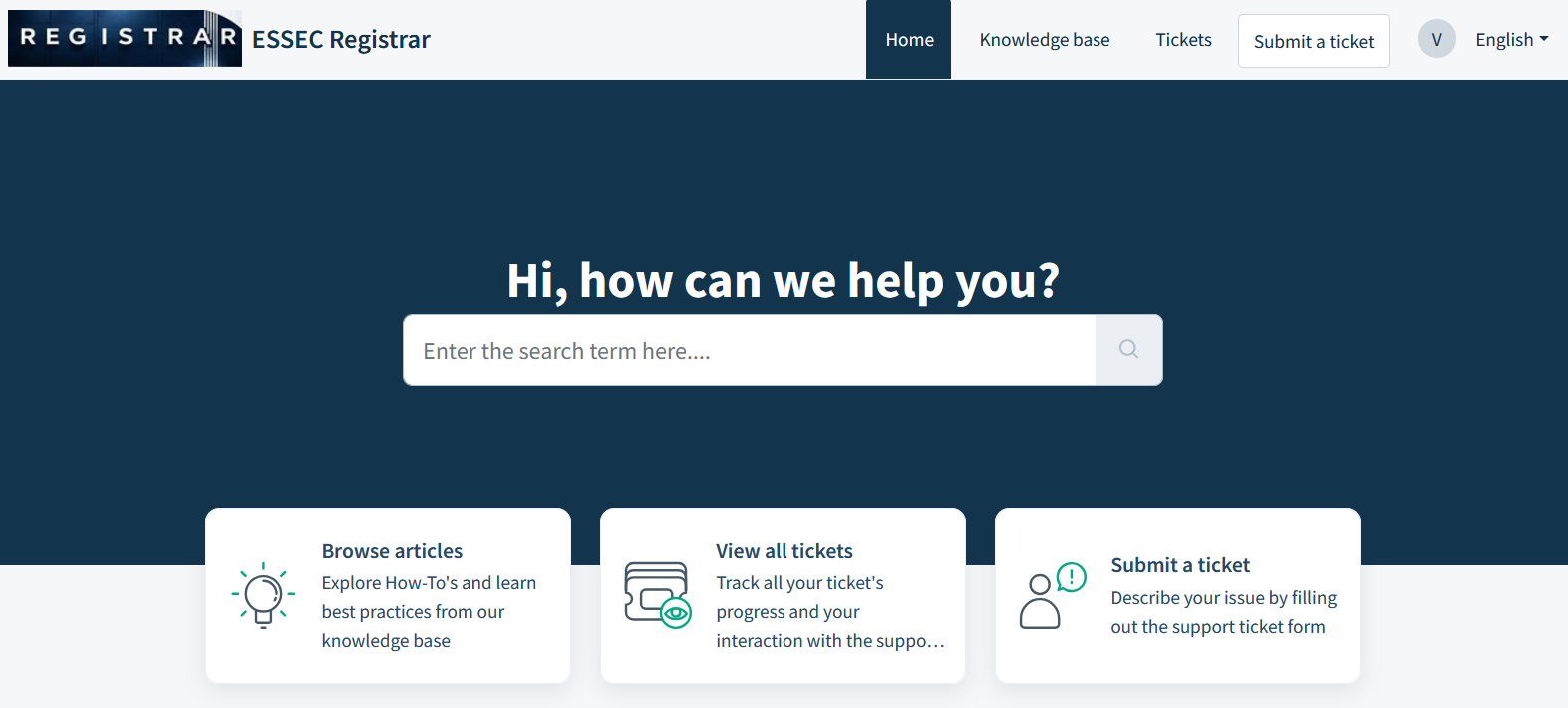
5. Your access is now created. You can now contact us online (New Request) and track your requests (Check Request Status).
Was this article helpful?
That’s Great!
Thank you for your feedback
Sorry! We couldn't be helpful
Thank you for your feedback
Feedback sent
We appreciate your effort and will try to fix the article