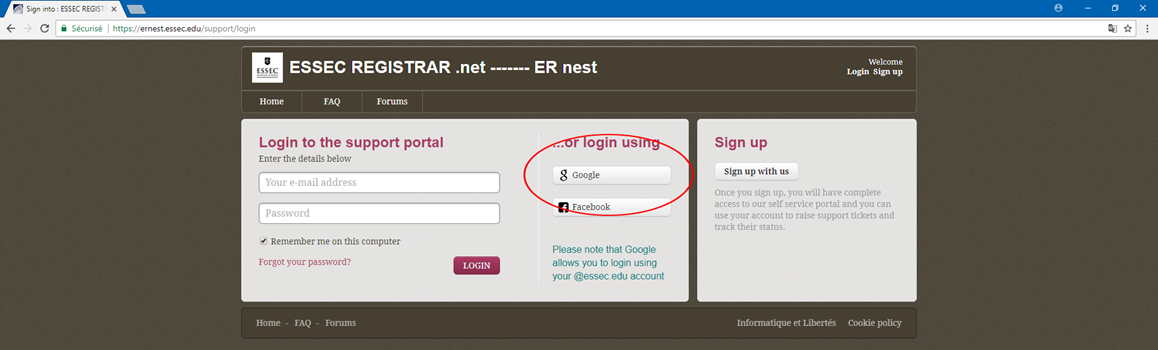
Students and Essec Staff need to use their essec.edu account to log into ER Nest (ESSEC Registrar .net) :
IMPORTANT: This will be the email address that starts with B00... This is also the BEST way to make sure the ticket does not go to the junk folder.).
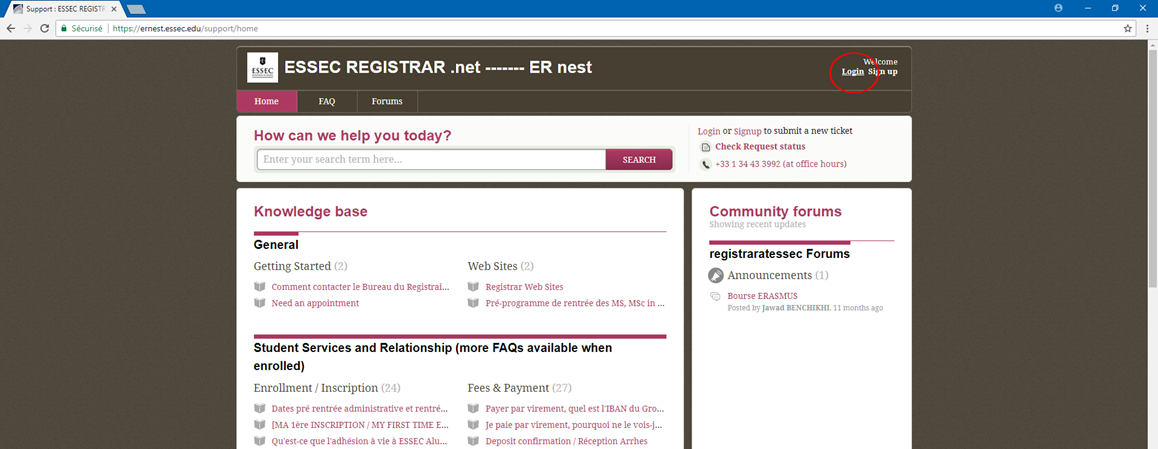
To do this, simply click on Login, then on the google button and follow guidance.
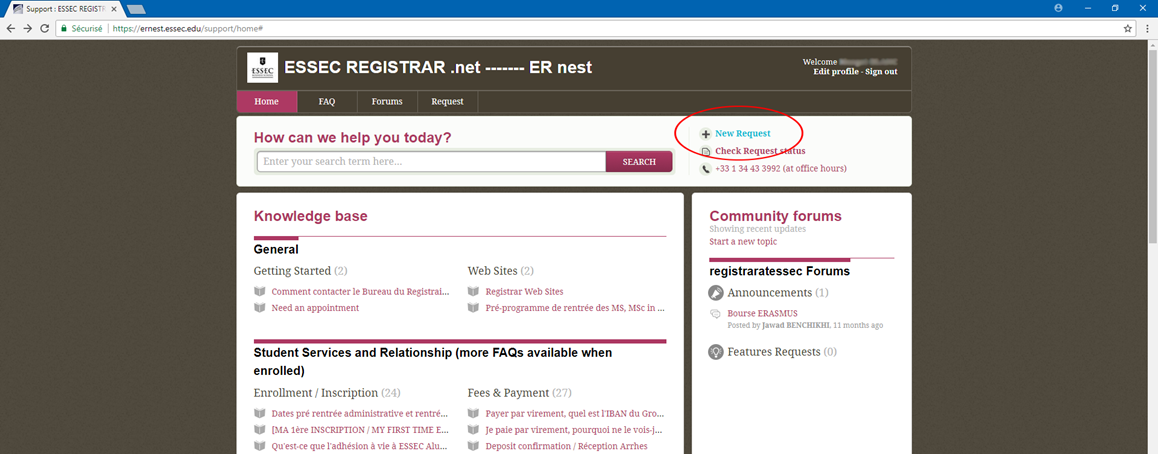
Once connected, you can start making request (New Request), check the status of your previous request (Check Request Status), see FAQ and so on.
Was this article helpful?
That’s Great!
Thank you for your feedback
Sorry! We couldn't be helpful
Thank you for your feedback
Feedback sent
We appreciate your effort and will try to fix the article