To update your contact details in your intranet, you just need to click on the link below:
https://essec.myintranet.online
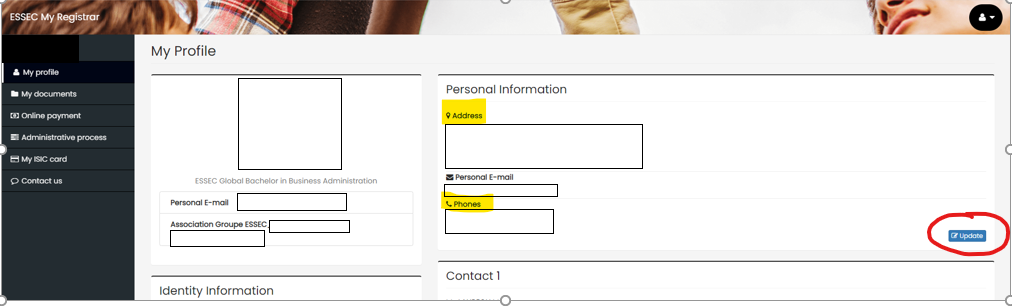
You will be directed to "my profile". You can then indicate your new address and phone number and click on "update".
We thank you for indicating your own current address and not your family's.
Was this article helpful?
That’s Great!
Thank you for your feedback
Sorry! We couldn't be helpful
Thank you for your feedback
Feedback sent
We appreciate your effort and will try to fix the article